


OpenEvidence
4.9146.00 Reviews
App Specs
- Version
- 2.9.25
- Updated On
- License
- Free
- Downloads
- 500,000+
- Developer
- OpenEvidence
- Categories
- Medical
- Platform
- Android, iOS
Screenshots

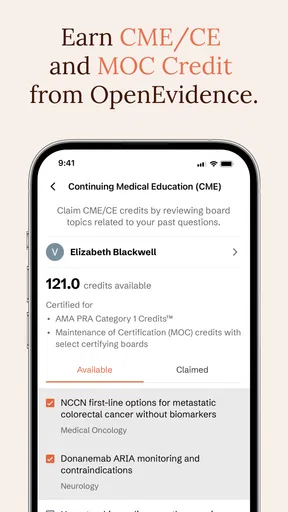
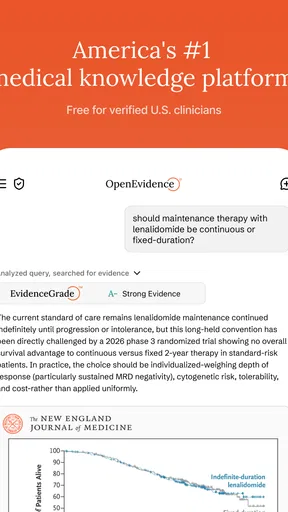

 Analysis by AppCompare
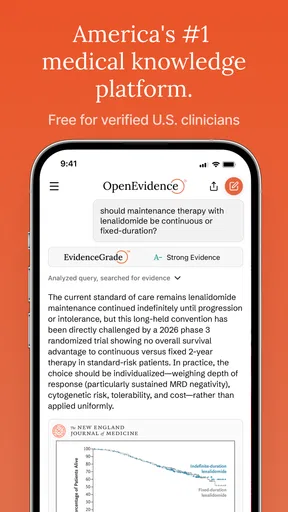
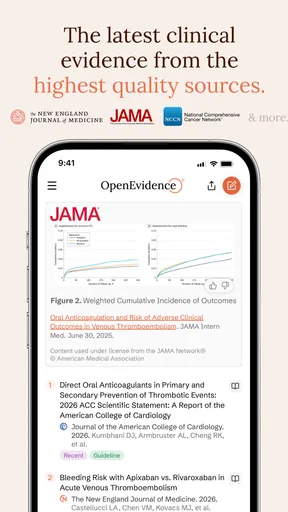
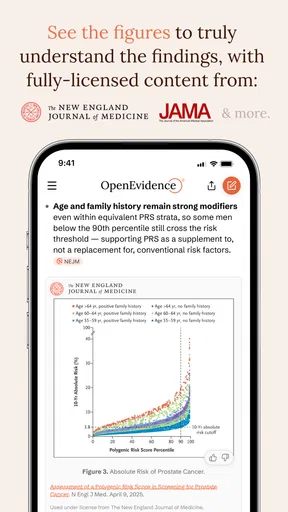
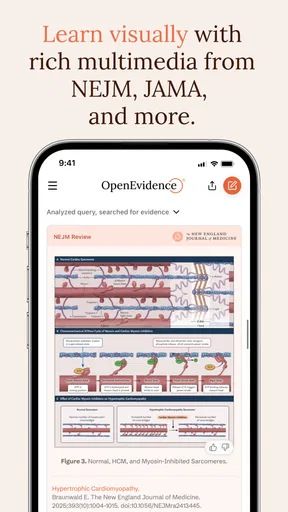
I would not treat OpenEvidence as a household organizer or a general-purpose document app. It is a medical app from OpenEvidence, and its point is to help clinicians find answers during care. That distinction matters if you are deciding whether it belongs on a shared phone or tablet: the intended user is a healthcare professional, not everyone in the home looking for a place to store receipts or family records.
A shared device needs a clear purpose
Picture a household tablet that several people use for browsing, messages, and everyday tasks. OpenEvidence is not a natural fit for that kind of shared use. Its medical focus means it makes most sense when a clinician uses it for professional reference, rather than when family members pass the device around for unrelated needs. I would keep the purpose of the app separate from the general household routine.
That does not mean a clinician cannot use a personal device that other people also handle. It means the practical question is who is using the app, and in what context. Before installing it on a shared device, I would make sure the intended user can access the app when needed and that other users understand it is a clinical reference tool, not a source of personal diagnosis.
Set expectations before the first search
The key setup boundary is eligibility: the app requires an NPI. That makes it different from a consumer health app that anyone can install and use to look up symptoms. If you are a patient or family caregiver hoping to enter a concern and receive personal medical advice, this is not the audience I would assume it serves. A clinician should approach it as a point-of-care resource and use professional judgment alongside it.
On a shared device, I would also avoid treating access to the app as a substitute for separate user accounts or private work arrangements. The app’s medical purpose does not make a household device automatically appropriate for clinical work. If a clinician needs a reliable professional workflow, a device and account arrangement that fits their workplace practices is a better starting point than simply adding the app to whichever tablet is closest.
Coordination without turning it into a family hub
OpenEvidence may be useful in a home where someone works in healthcare, but its value is individual and professional rather than collaborative household planning. For example, a clinician could consult a medical reference while preparing for a work task, then discuss general next steps with colleagues through the channels their workplace already uses. I would not expect the app itself to coordinate family appointments, keep relatives aligned, or manage shared health records.
That distinction helps avoid a common mix-up: an app can be medically focused without being a patient portal or a family care-management tool. If your household needs a shared medication schedule, appointment reminders, or a place for relatives to exchange updates, a dedicated tool for those jobs is likely a better match. OpenEvidence is most compelling when the question is clinical and the person asking it is qualified to interpret the answer.
Worth Reading Before You Choose

EA SPORTS FC Mobile 26 Is a Bigger Football Game, but It Takes Time

Flipboard Shows What News Apps Must Do Beyond the Feed

Switching to Android Auto Means Rethinking Your Driving Routine

Google Calendar Makes a Crowded Week Easier to Manage

Ludo King Makes the Most of the Minutes Between Plans

Baby Panda World Brings Quick Play to Modern Phones, but Its Game Library Feels Busy
Age, trust, and the right kind of reliance
The app is rated for Everyone, but that age label should not be confused with a recommendation for children to use it as a health adviser. The professional entry requirement is the more important practical boundary. In my view, families should not hand it to a child to assess symptoms, and adults should not treat an answer surfaced by a clinical reference as a personal diagnosis or a replacement for care.
Trust here is about using the tool in the right role. A clinician can use a point-of-care resource to inform their thinking, then weigh the patient’s circumstances and other relevant evidence. A patient looking for reassurance may need direct guidance from a healthcare professional instead. If you are not an eligible clinician, the NPI requirement is a clear signal to choose a patient-facing resource or contact a care provider.
How OpenEvidence fits a clinician’s day
In a clinical setting, speed and relevance matter more than household convenience. A professional may need to check a focused question between tasks, and a mobile reference can be more practical than opening a general web search and sorting through mixed results. OpenEvidence is designed around that point-of-care use. I would still treat any answer as one part of a decision, not an automatic instruction to follow.
Where it sits among medical alternatives
Compared with broad search engines, a medical reference app has a narrower purpose: it is meant to help clinicians find information relevant to care, rather than return a wide range of pages written for different audiences. That focus can reduce the effort involved in getting oriented, but it does not remove the need to assess whether an answer applies to the patient in front of you. General search may be useful for discovering sources; a professional reference is a more natural place to begin when the question is clinical.
It also should not be confused with an electronic health record, a messaging system, or a patient-facing symptom checker. Those tools address different jobs: documenting care, coordinating with a team, or helping the public navigate health concerns. If your main need is one of those, I would choose a tool built for that workflow rather than expecting OpenEvidence to cover it.
A practical workflow, with a deliberate pause
Imagine a clinician has a brief gap during a busy day and wants to check a question related to a patient’s care. A useful habit is to frame the question narrowly, review the result in context, and pause before applying it. The patient’s history, current presentation, and local clinical process still matter. That small pause is not a criticism of the app; it is the difference between using a reference thoughtfully and treating any digital answer as a shortcut around judgment.
I would also use a mobile reference to orient myself, then return to the main clinical workflow for documentation and communication. Keeping those jobs distinct makes it easier to avoid relying on a reference app for records or team coordination that it is not intended to provide. For a clinician who already has established workplace tools, OpenEvidence can sit alongside them rather than replacing them.
What the app’s audience means for households
OpenEvidence is free, has an average rating of 4.8 from around 4,000 ratings, and has more than 100,000 installs. Those figures suggest that it has drawn meaningful interest, but they do not change the audience question: an app can be popular and still be a poor fit for a particular household. Its Everyone content rating describes the age classification, while the NPI requirement sets a separate boundary around who can use it as intended.
The developer is OpenEvidence, and the app is currently at version 2.9.11, with support for Android 7.0 and later. It was released on October 1, 2024. I would check that a device meets the operating-system requirement before planning to use it, especially if the household keeps an older phone or tablet for shared tasks. The current version is another practical detail to check when troubleshooting, but it does not tell you whether the app suits your needs; the professional use case should decide that.
Who should choose it—and who should pass
I see the clearest fit for clinicians who want a medical reference available on a mobile device and can evaluate information within their professional role. It may also make sense for a healthcare worker who wants a focused tool separate from general browsing, provided the app’s eligibility requirement fits their situation. The value is less obvious for someone who rarely needs clinical reference material or already has a preferred resource that fits their workflow better.
Patients, caregivers, and people seeking a personal diagnosis should look elsewhere for direct support. That does not mean they should ignore health questions; it means a clinician-oriented reference is not the same as a service designed to guide a patient. If the concern is urgent or personal, speaking with an appropriate healthcare professional is a more suitable next step than trying to make a professional tool serve as a consumer health adviser.
There is also a real trade-off in relying on any specialized reference: it can help focus a search, but it cannot know every detail of a case simply because it is available on a phone. The clinician still has to judge relevance, recognize uncertainty, and decide when another source or consultation is needed. I would favor a second reference or a colleague’s input when the question is complex, the situation is unusual, or the answer does not fit the clinical picture.
My household verdict
For a household choosing apps for shared convenience, OpenEvidence is not a family utility, and I would not install it expecting it to organize care across relatives. For a clinician in the home, it can have a useful, clearly bounded role as a professional reference. Keeping that boundary visible—who uses it, why they use it, and what it is not meant to replace—is the most sensible way to make a shared-device situation less confusing.
My recommendation is therefore specific: consider it if you are an eligible healthcare professional who wants point-of-care medical information on mobile, and skip it if you want symptom guidance, family coordination, or a general medical app for everyone at home. That simple distinction is more useful than judging it as a broad household tool. In the right hands and for the right task, its focused purpose is the reason to try it; outside that setting, another kind of app or direct professional advice will serve you better.
Getting Started with OpenEvidence
First things first, OpenEvidence is available for both Android and iOS, which is great because no one likes to feel left out. The download and installation process was a breeze—no unnecessary permissions or weird hoops to jump through. Once installed, the app greeted me with a sleek and modern interface that didn’t overwhelm me with options. I appreciate a straightforward design, especially when diving into something new.
Features That Stand Out
So, what does OpenEvidence actually do? It’s essentially your digital assistant for document management, providing tools for organizing, storing, and even sharing your documents securely. One of the features that really caught my eye is its ability to scan documents directly from the app. You just have to point your camera, and voila, your hard copy is turned into a digital file without breaking a sweat.
Another cool feature is the app’s ability to categorize documents automatically. It uses some smart tech to figure out whether you’re dealing with a receipt, an invoice, or something else entirely. This saves a ton of time that you’d otherwise spend organizing manually.
Security and Privacy
In a world where data breaches are all too common, OpenEvidence takes security seriously. It uses encryption to ensure that your documents are safe from prying eyes. I tested the sharing feature by sending a document to a friend, and it was reassuring to know that the app offers encrypted sharing as well.
What’s also impressive is the app’s commitment to privacy. They don’t store your documents on any servers, meaning everything stays on your device unless you choose to share it. This is a big plus for anyone concerned about data privacy.
Usability and Performance
Using OpenEvidence is pretty intuitive, even for someone who isn’t a tech whiz. The navigation is smooth, and I didn’t encounter any bugs or glitches while putting the app through its paces. The app loads quickly, and scanning documents is done in a flash. Plus, there’s a handy search feature that lets you find documents easily. Trust me, you’ll appreciate this when you’re trying to locate that one receipt from last year.
There’s also a neat option for integrating with cloud services like Google Drive and Dropbox. This makes it super easy to back up your documents or access them from other devices.
Final Thoughts
Overall, my experience with OpenEvidence has been nothing short of stellar. It’s a reliable, user-friendly app that takes the hassle out of document management. Whether you’re a busy professional or just someone looking to declutter your digital life, this app is worth checking out.
So, if you’re on the hunt for a document management solution that’s robust yet easy to use, give it a try. You might just find it’s the app you never knew you needed.
Pros
- Intuitive interface for easy navigation.
- Comprehensive data analysis tools.
- Real-time updates for accurate insights.
- Customizable reports and dashboards.
- Secure cloud storage for data protection.
Cons
- Requires a stable internet connection.
- Limited offline functionality.
- Subscription model could be pricey.
- Learning curve for advanced features.
- Occasional minor bugs in updates.
FAQs for OpenEvidence
What is OpenEvidence and what does it do?
OpenEvidence is a versatile application designed to help users securely collect, organize, and present digital evidence for legal or personal use. It allows users to capture photos, videos, documents, and other data, ensuring that all information is stored with integrity and can be easily accessed when needed for legal proceedings or personal records.
Is OpenEvidence available on both Android and iOS platforms?
Yes, OpenEvidence is available for download on both Android and iOS platforms. Users can easily find it on the Google Play Store and Apple App Store. The app is designed to provide a seamless experience across both operating systems, ensuring accessibility and user-friendly navigation.
How does OpenEvidence ensure the security of my data?
OpenEvidence employs advanced encryption technologies to protect user data. All collected evidence is securely stored and only accessible to the user, ensuring privacy and compliance with legal standards. The app also offers features like password protection and two-factor authentication to enhance security further.
Can OpenEvidence be used for professional legal cases?
Yes, OpenEvidence is suitable for professional legal use. It provides tools to ensure evidence is collected in a manner that is admissible in court, with features like timestamping and metadata preservation. This makes it a valuable tool for lawyers, investigators, and anyone involved in legal proceedings.
Does OpenEvidence offer cloud storage options?
OpenEvidence provides users with the option to store their evidence on the cloud, facilitating easy access and backup. Users can choose from various cloud service integrations, ensuring that their data is both secure and readily available when needed. This flexibility makes managing large volumes of evidence more convenient.


